Table
Overview
The Table control type displays a collection of instances of a linked child container.
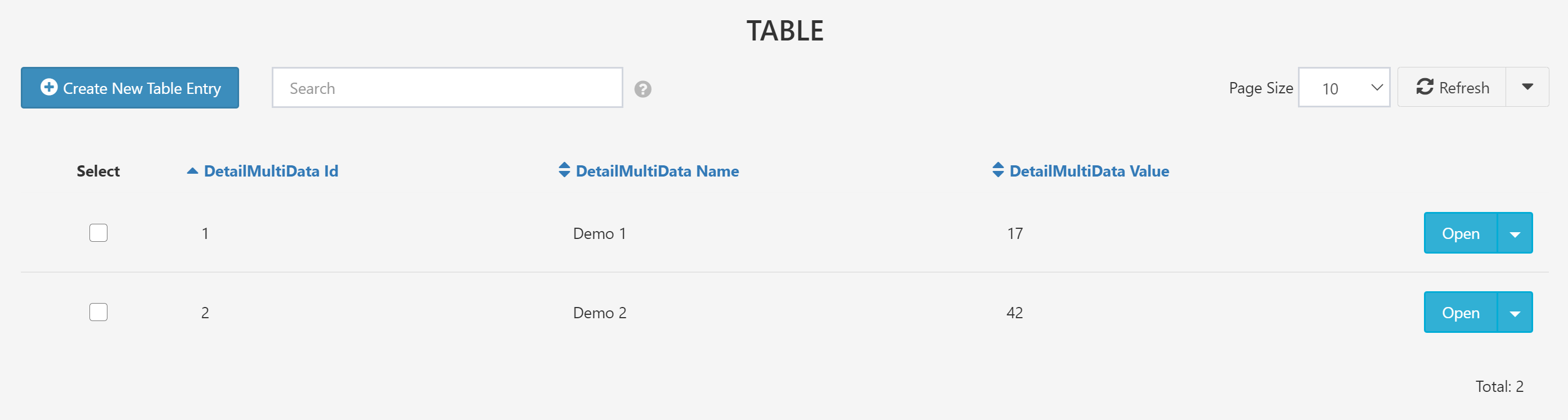
See Search Features for more discussion of the special capabilities of tables.
Required Fields
-
Name: The name of the field saved to the database.
-
Type: Must be set to
[Form.<ContainerName>]where<ContainerName>is the name of the Excel sheet representing the linked container. It must be enclosed in[]brackets -
ControlType: Must be set to
Table.
Optional Fields
-
Columns Columns are selected with the syntax
[Form.<ContainerName>.<Name1>, Form.<ContainerName>.<Name2>, Form.<ContainerName>.<Name3>]Note the square brackets to select multiple columns. -
Description: Optional further details about the field.
-
DisplayName: The name that will be shown for the field above the input box. This can be any string. If no DisplayName is provided, Name will be shown.
-
Group: The layout group position for this control.